Here are the steps from the beginning for importing data into InfoSewer:
| Make a new InfoSewer Model and add in the layers you want to import
|
| Initialize the InfoSewer Arc Map to the Coordinates of the Layers you have added
|
| Look at the Attributes of the of the Layers in Arc Map by using the command Open Attribute Table in Arc GIS – right mouse click on the Arc Map Table of Contents (TOC)
|
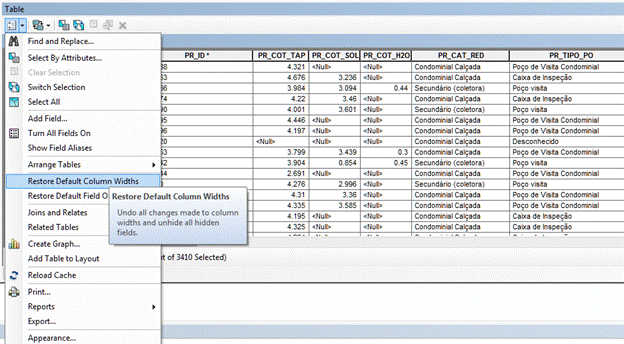
| Turn off the Alias names as InfoSewer GIS Gateway only read the “real” column names
|
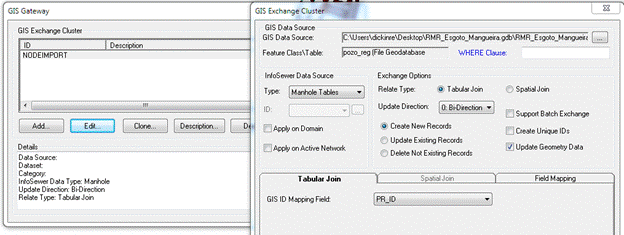
Use the InfoSewer GIS Gateway Tool 
|
| Load the Nodes 1st using the PR_ID as the Mapping Field
|
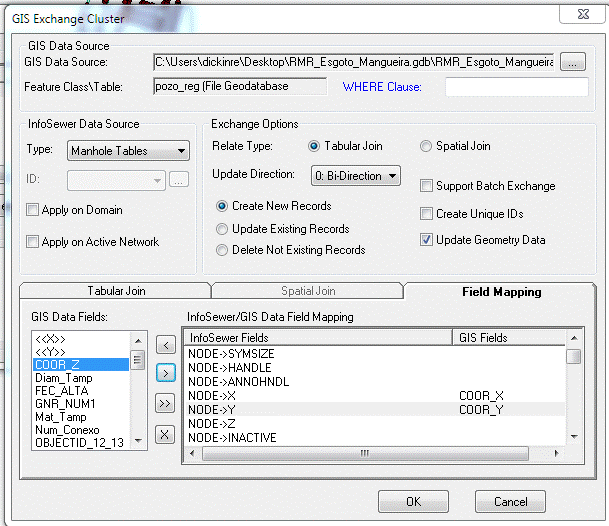
| The map fields for the X, Y Coordinates
|
| Import the Diameter (Diam_Tamp) and Rim Elevation (PR_COT_TAP) for the Node
|
| Load the defined GIS Gateway Layer
|
| If the nodes were imported there should be a log message file and the nodes will be seen on the Map and in the InfoSewer Attribute Table
Exchanging data on 'NODEIMPORT'...
|
| Turn off the Field Aliases for the Links so we can see the actual column names
|
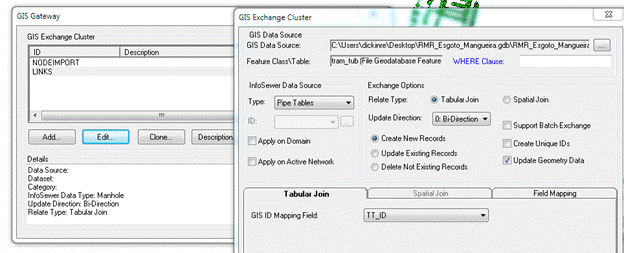
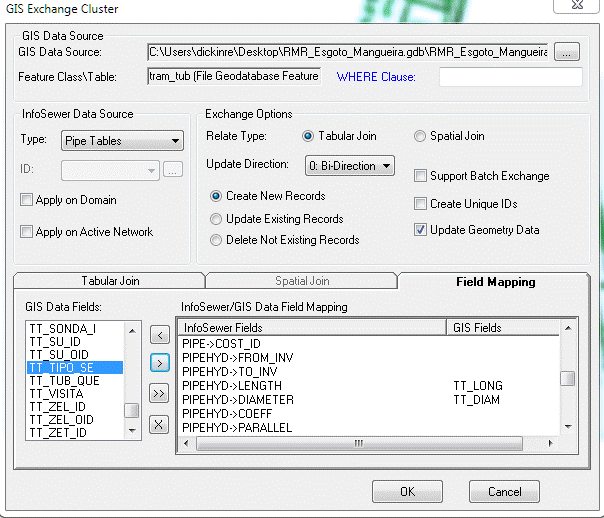
| Use TT_ID as the GIS ID Mapping Field
|
| a. Gis Data Source: C:\Users\ … \tram_tub
b. InfoSewer Data Source Type: Pipe Tables c. Relate Type: Tabular Join d. Update Direction: 0:Bi-Direction e. Exchange Options: Create New Records f. Tabular Join – GIS ID Mapping Field: TT_ID g. Field Mapping: i. PIPE->TYPE : TT_TIPO_SE ii. PIPE->MATERIAL : TT_MATERIA iii. PIPEHYD->LENGTH : TT_LONG iv. PIPEHYD->DIAMETER: TT_DIAM
|
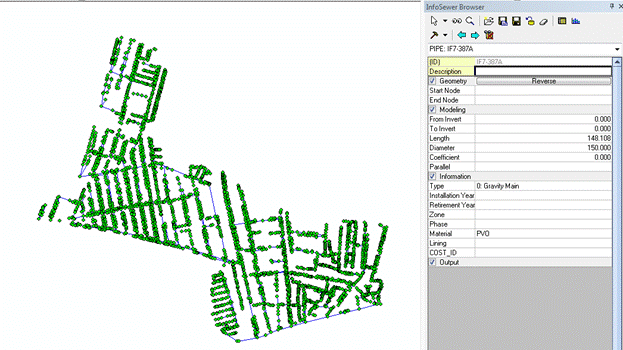
| Load the Links from the GIS Gateway and you should have your links on the Map and in the Attribute Browser, I did not import the From and To Nodes and the From and To Invert as I was not certain of the Attribute Tables.
|