LID Candidates for Optimizztion in InfoSWMM Sustain
STEP 1: Use the LID Optimizer Tool
Use the LID Optimizer tool (1) to import all of the LID's with a Subcatchment (2).

STEP 2: Import all of the LID Candidates found by the Siting Manager of InfoSWMM Sustain
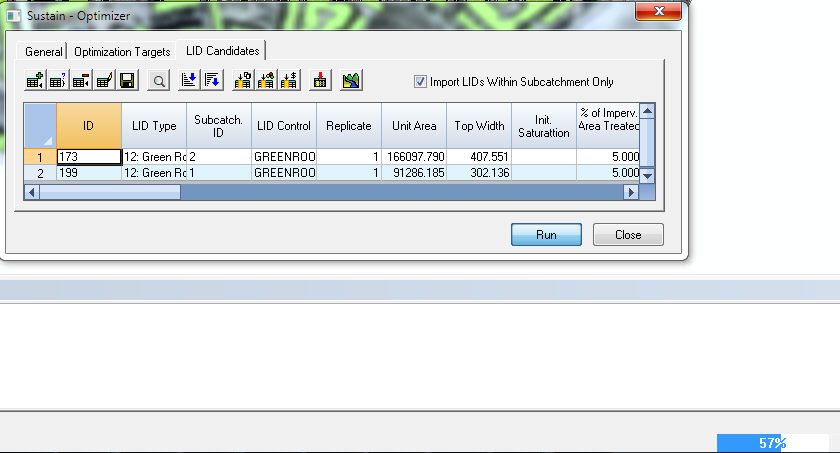
All of the possible Green Roofs on Subcatchments 1, 2 and 3 are now found. You have to decide the actual LID Control for each LID Type. It is possible to have more than one LID Control (from the Operations Tab of the InfoSWMM Browser) for all of the Green Roofs. Click on the LID Control Box and Select a LID Control.

STEP 3: Set the LID Control for all Rows of the LID Candidate Rows
Use the BlockEdit Tool or Icon to set the LID Control for all of the other Rows with an LID Type of Green Roof.

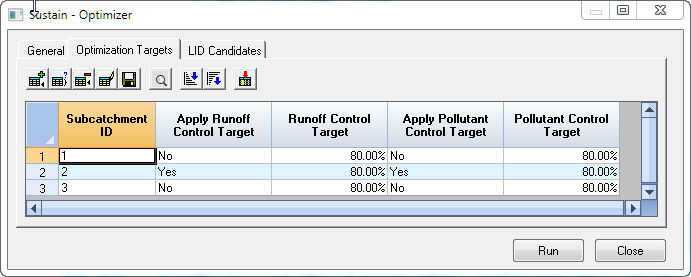
STEP 4: View the Optimization Targets for Runoff and Water Quality
We will use the preset targets of 80 percent for Runoff and Water Quality for all of the Subcatchments.
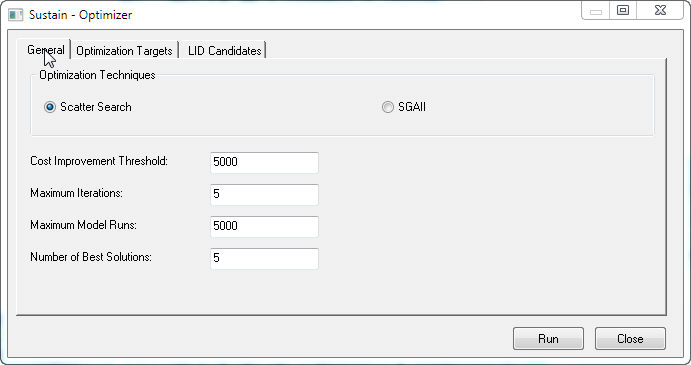
STEP 5: Click on the General Tab to Define the Optimizer Parameters
The parameters are for type of Optimization Technique, the Cost Improvement Threshold, the Maximum Number of Iterations per Model Run, the Maximum InfoSWMM Model runs and the Number of Best Solutions to be Found during the Optimization Process.
STEP 6: Modify the Percent Imperviousness Area Treated
An important rule is that the total area treated by all LID Types for a particular Subcatchment does not exceed 100 percent of the impervious area. Use the BlockEdit tool again and set the Percent Imperviousness Area Treated to 5 percent per LID Type.

STEP 7: Reduce the Number of LID Types
You can use the delete Row Tool to delete any rows of LID Types you do not want to optimize.
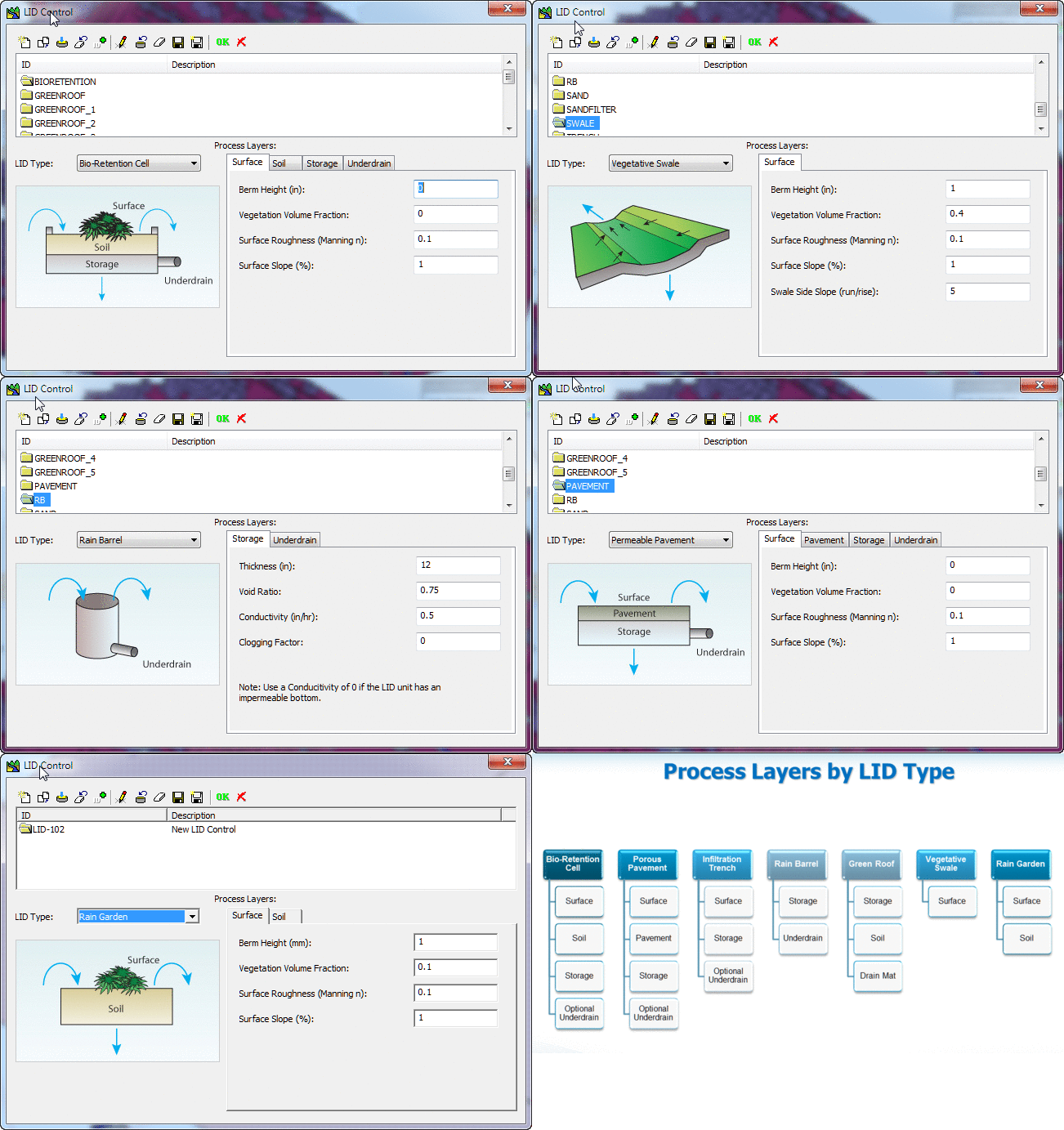
The possible LID Controls that can be selected in the column LID Control are shown below. Please note that you can have multiple LID Controls of the same LID Type