Step 4/3. Specify Flow Monitoring Data and Rainfall Data
1. Create a new analysis by clicking the New button (  ) from the toolbar or the New Menu command
Doing this will launch the New Analysis dialog editor:

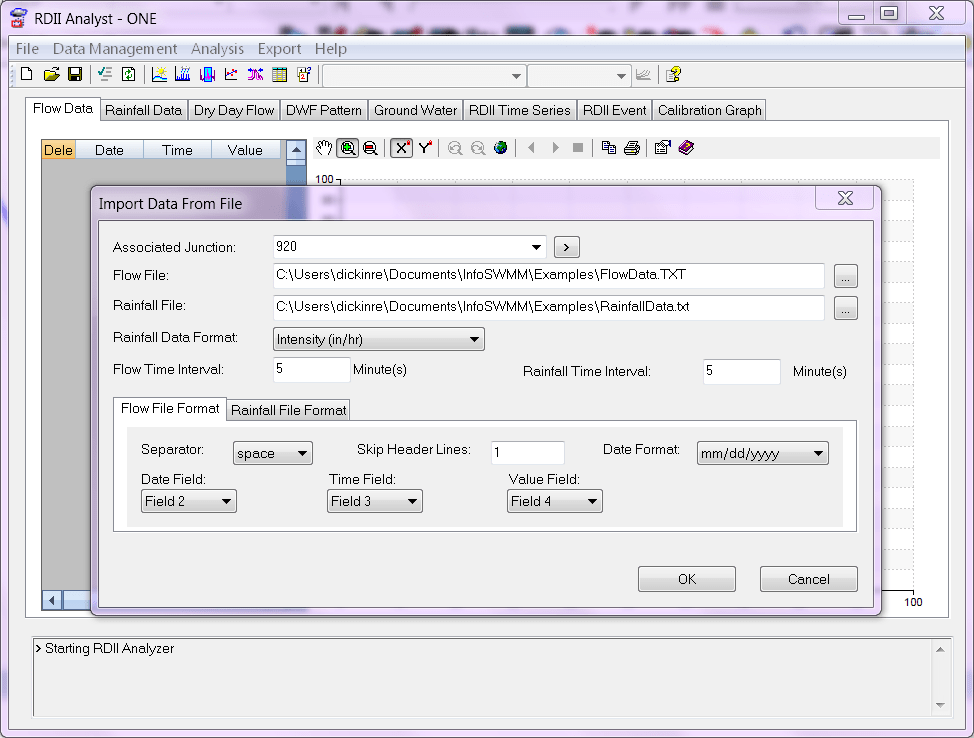
2. Import the flow data
3. Import the rainfall data
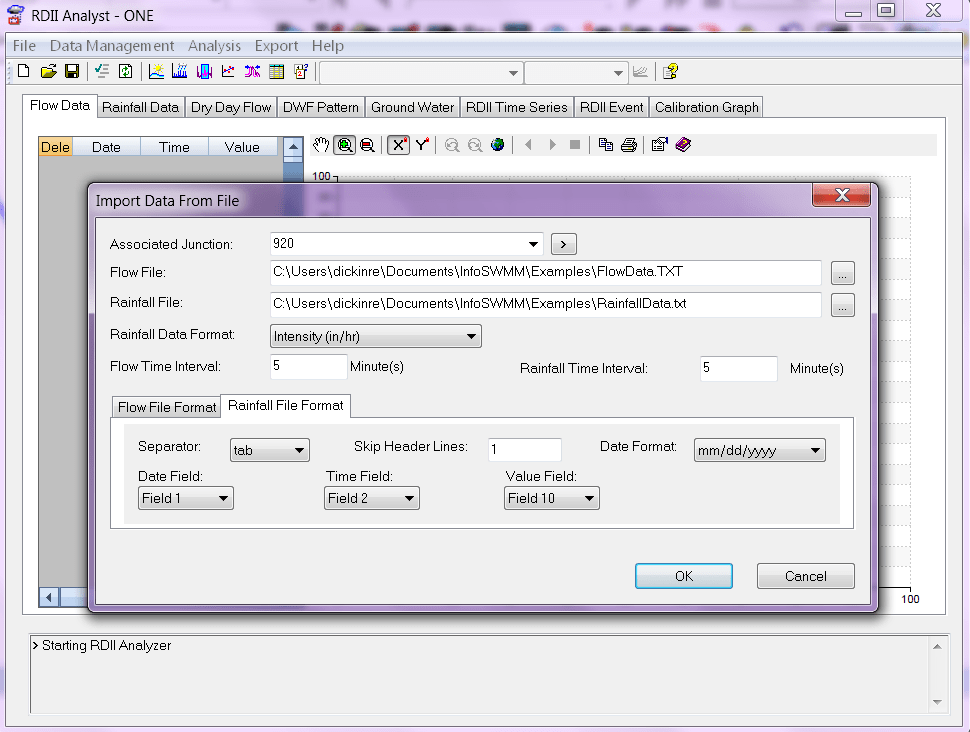

FIle links for Rainfall and Flow
C:UsersPublicDocumentsInfoSWMMExamplesFlowData.TXT
C:UsersPublicDocumentsInfoSWMMExamplesRainfallData.txt
The top of the Flow Data File looks like
SITE DATE HOUR FLOW (cfs)