#INFOSWMM, InfoSWMM, InfoSWMM_SA
How to Understand Scenarios In InfoSWMM and InfoSWMM_SA
1 How to Understand Scenarios In InfoSWMM and InfoSWMM_SA
Some examples of alternatives that you may wish to explore with Scenarios:
§ Master Plans for future years
§ RTC strategies
§ Pipe size changes
§ I/I Reduction
§ Designs for reducing overflows
§ Sensitivity analysis
§ LID Flow Reduction
#INFOSWMM, InfoSWMM, InfoSWMM_SA
How to Set your Model Preferences in InfoSWMM_SA
InfoSWMM SA Preferences
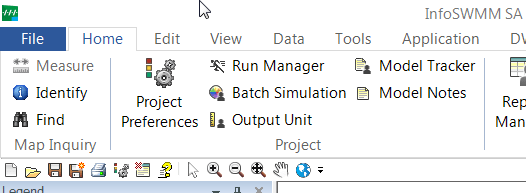
The Operation tab allows the user to control project settings relating to the management of various InfoSWMM SA operations. It should be noted that all the changes made on the Preferences dialog box must be saved prior to closing the dialog box. Many preferences set with this … Read the rest
#INFOSWMM, InfoSWMM, InfoSWMM_SA
Using The Simulation Task Manager in InfoSWMM and InfoSWMM_SA
Using Simulation Task Manager
Using Simulation Task Manager is simple and straightforward.
- Enable Simulation Task Manager from the modeling software
- Schedule the simulation task using Run Manager by using the command tools/preferences/operation Use Simulation Task Manager
- Manage scheduled simulations from Simulation Task Manager (Note: The modeling software does not
#INFOSWMM, InfoSWMM, InfoSWMM_SA, SWMM5
How InfoSWMM and InfoSWMM SA 2D Link and 3D Node Graphics Help You Understand the Response of Your Network to Wet Weather Flow
New InfoSWMM linked 2D Link and 3D Node graphics help you understand one of the most critical outputs in any Stormwater, Combined Sewershed or Sanitary Sewershed Network Model the value and timing of how full the pipes and nodes are over time and how this changes during Wet Weather Flow … Read the rest
#INFOSWMM, InfoSWMM, InfoSWMM_SA, Innovyze
How to Understand your Hydraulics Output using InfoSWMM and InfoSWMM SA 2D and 3D Linked Graphics
How to Understand your Hydraulics Output using InfoSWMM and InfoSWMM SA 2D and 3D Linked Graphics
InfoSWMM v 14.6 and InfoSWMM SA v2 (InfoSWMM SA is not an Esri Extension in ArcMap) has many new graphical and map display tools that help answer the following modeling questions in a easy … Read the rest
#INFOSWMM, InfoSWMM, InfoSWMM_SA
HEC-22 Inlets in #InfoSWMM and #InfoSWMM_SA
HEC-22 Inlets in #InfoSWMM and #InfoSWMM_SA
The Junction inlet data table stores information regarding the inlet at the junction node. Refer to the section on inflow editor for more information on these input data. The following table shows the whole first row of the DB Table on separate rows in … Read the rest
#INFOSEWER, #INFOSWMM, InfoSWMM, InfoSWMM_SA, InfoWater, Innovyze
… Read the rest
Innovyze Announces the Retirement of the H2OMAP Modeling Platform with Upgrade Path to More Powerful InfoWater, InfoSewer and InfoSWMM Software
Innovyze Announces the Retirement of the H2OMAP Modeling Platform with Upgrade Path to More Powerful InfoWater, InfoSewer and InfoSWMM Software
Portland, Oregon, USA, December 3, 2017
Innovyze, a leading global innovator of business analytics software and technologies for smart wet infrastructure, today announced the planned retirement of the H2
#INFOSWMM, InfoSWMM, InfoSWMM_SA
Objective Functions in the Genetic Algorithm of InfoSWMM and InfoSWMM SA
Objective Functions in the Genetic Algorithm of InfoSWMM and InfoSWMM SA
The objective of the optimal calibration problem is to minimize the numerical discrepancy between the observed and predicted values of link flow, link depth, and/or link velocity at various locations in the system. Any of the following five different … Read the rest
#INFOSWMM, InfoSWMM, InfoSWMM_SA
Calibration Methodology in InfoSWMM and InfoSWMM SA
Calibration Methodology
The successful application of a sewer collection system model to the planning, design, and management of urban stormwater systems is highly dependent upon how well the model is calibrated and how well the model mimics the reality. Model calibration consists of fine tuning of model parameters until the … Read the rest
ICM, LID
#SuDS in InfoWorks ICM
#SuDS in InfoWorks ICM
In InfoWorks ICM 6.5 and later the SWMM 5 LID Controls were added to the Subcatchment Grid of ICM. Here is a copy of the ICM Help File. The LID Controls are entered in the Subcatchment Grid (1), in the SuDS or LID Tab (2), it … Read the rest
ICM, SWMM5
What is exported from InfoWorks ICM to SWMM5?
SWMM5 Network Export from ICM 8.5 Help File
InfoWorks ICM can export networks to SWMM5 data format.
To export to SWMM5 file:
- In the explorer window, right-click on the network to be exported.
- Select Export | to SWMM5 from the popup menu. The Select Network Version and Scenario Dialog
Visual SWMM
From 1999 – Stormwater and Wastewater Modeling with Visual Hydro/Visual SWMM
Stormwater and Wastewater Modeling with Visual Hydro/Visual SWMM
Storm Water Management Pond Example with Manhole Flooding, Overland Flow Routing, Pond Evaporation, Pond Losses and Conduit Design.
.

Introduction
Visual Hydro/Visual SWMM can comprehensively model storm water management systems that include mixtures of open channel and closed conduits. It can also … Read the rest
#INFOSWMM, InfoSWMM, InfoSWMM_SA, SWMM5
Computational Methods for the SWMM5 Model in InfoSWMM and InfoSWMM SA
Computational Methods for the SWMM5 Model in InfoSWMM and InfoSWMM SA
InfoSWMM and InfoSWMM SA is a physically based, discrete-time simulation model. It employs principles of conservation of mass, energy, and momentum wherever appropriate. This section briefly describes the methods InfoSWMM and InfoSWMM SA uses to model stormwater runoff quantity … Read the rest
#INFOSWMM, InfoSWMM, InfoSWMM_SA, SWMM5
How to use Transects in InfoSWMM and InfoSWMM SA
How to use Transects in InfoSWMM and InfoSWMM SA
Transects refer to the geometric data that describe how bottom elevation varies with horizontal distance over the cross section of a natural channel or irregular-shaped conduit. The following figure displays an example of a transect for a natural channel.

Each transect … Read the rest
#INFOSWMM, InfoSWMM, InfoSWMM_SA, SWMM5
2D Simulation Options from InfoWorks ICM in InfoSWMM and InfoSWMM SA
2D Simulation Options from InfoWorks ICM in InfoSWMM and InfoSWMM SA
If you have an InfoSWMM 2D license and you have set up your model with all of the necessary 2D elements and parameters, you can enable the 2D Simulation option. You must also set the 2D simulation options to … Read the rest
#INFOSWMM, InfoSewer, SWMM5
Rules for using the NRCS (SCS) Dimensionless Unit Hydrograph Method in InfoSWMM and InfoSWMM SA
Rules for using the NRCS (SCS) Dimensionless Unit Hydrograph Method in InfoSWMM and InfoSWMM SA
A unit hydrograph is defined as the direct runoff hydrograph resulting from a unit depth of excess (effective) rainfall produced by a storm of uniform intensity and specified duration. Unit hydrographs could be natural … Read the rest
#INFOSWMM, InfoSWMM, InfoSWMM_SA, SWMM5
Infiltration in InfoSWMM and InfoSWMM SA for Horton, Green Ampt and Curve Number Options
Infiltration in InfoSWMM and InfoSWMM SA for Horton, Green Ampt and Curve Number Options
Infiltration is the process of rainfall penetrating the ground surface into the soil over the pervious areas of Subcatchments.

InfoSWMM H2OMap SWMM InfoSWMM SA offers three choices for modeling infiltration:
Horton's Equation
This method is based … Read the rest
#INFOSWMM, InfoSWMM, InfoSWMM_SA, SWMM5
Introduction to the Methodology of Creating a Model using InfoSWMM or InfoSWMM SA
Introduction to the Methodology of Creating a Model using InfoSWMM or InfoSWMM SA
InfoSWMM and InfoSWMM SA is a comprehensive GIS-centric, highly advanced hydrologic, hydraulic, and water quality simulation model that could be used for the management of urban stormwater and wastewater collection systems. InfoSWMM and InfoSWMM SA represents the … Read the rest